
In the ever-evolving world of technology, gaming has become a dominant force, captivating millions around the globe. One critical component of this phenomenon is the gaming PC. Unlike consoles, a custom-built gaming PC allows enthusiasts to tailor their gaming experience to their preferences, maximizing performance and aesthetics. This article will guide you through the intricacies of building your own gaming PC, from selecting the right components to assembling them for optimal performance.
Understanding Your Needs
Before diving into the world of components, it’s crucial to understand your gaming needs. Are you a casual gamer who plays occasionally, or are you a hardcore gamer who needs top-of-the-line performance? Identifying your requirements will help you make informed decisions about the components you choose.
For instance, if you primarily play eSports titles like League of Legends or Counter-Strike: Global Offensive, you may not need the highest-end graphics card. However, if you’re looking to play AAA titles at 4K resolution, investing in a powerful graphics card is essential.
Moreover, consider future-proofing your build. Technology evolves rapidly, and selecting components that can accommodate future upgrades will save you money in the long run. For example, opting for a motherboard with support for the latest CPUs and RAM can give you the flexibility to upgrade as new technologies emerge.
Selecting the Right Components
Once you have a clear understanding of your needs, it’s time to select the components for your gaming PC. The main components to consider include the CPU, GPU, motherboard, RAM, storage, and power supply.
The CPU (Central Processing Unit) is the brain of your PC. For gaming, a high-performance CPU is crucial, as it affects the overall processing power of your system. Brands like Intel and AMD offer various options suitable for different budgets.
The GPU (Graphics Processing Unit) is arguably the most critical component for gamers. It determines how well your games will run and at what settings. Popular options from NVIDIA and AMD can range from budget-friendly to high-end models that support ray tracing and 4K gaming.
When choosing your motherboard, ensure it is compatible with your CPU and has enough ports for future upgrades. Additionally, consider the type of RAM (Random Access Memory) you need. For gaming, 16GB is typically sufficient, but 32GB can be beneficial for multitasking or content creation.
Assembling Your Gaming PC
With all your components selected, the next step is the assembly process. While it may seem daunting, building a gaming PC is a rewarding experience that can be accomplished with a little patience and attention to detail.
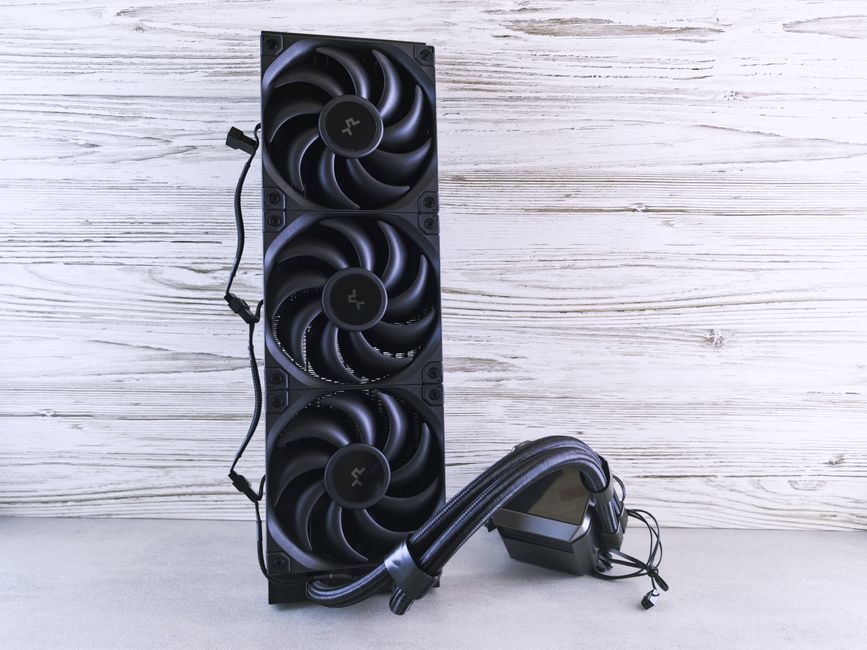
Start by preparing your workspace, ensuring you have a clean, static-free environment. Begin with the motherboard, installing the CPU and RAM before placing it into the case. Carefully follow the manufacturer’s instructions for mounting the CPU cooler and installing the GPU.
After the main components are in place, connect the power supply and ensure all cables are neatly organized. Proper cable management not only improves airflow but also enhances the aesthetic appeal of your build.
Once everything is assembled, it’s time to boot up your PC and install the necessary software. Ensure your operating system and drivers are up to date for optimal performance.
Gaming Performance Optimization
After building your gaming PC, optimizing its performance is essential for the best gaming experience. Start by adjusting the settings in your games to match your hardware capabilities. Many modern games offer presets that can automatically configure settings based on your hardware.
Additionally, consider using software tools to monitor your system’s performance. Applications that track CPU and GPU temperatures can help prevent overheating during intense gaming sessions. Regular maintenance, such as cleaning dust from components and ensuring adequate airflow, is also vital to maintaining performance.
Furthermore, don’t hesitate to explore overclocking options to push your components beyond their stock performance. Just remember to do this cautiously, as it may void warranties and potentially damage your components if not done correctly.
The Community and Resources
Joining the gaming PC building community can provide invaluable support and insights. Online forums, social media groups, and YouTube channels dedicated to PC building are excellent resources for beginners and experienced builders alike.
For those looking for guidance on specific builds, websites like gaming PC builder offer tools and resources to plan your build effectively. They allow users to compare prices, check compatibility, and read reviews on components.
Moreover, attending gaming conventions or local meetups can connect you with like-minded individuals who share your passion for gaming and technology. These interactions can lead to friendships and collaborations that enhance your gaming experience.
Conclusion
Building your own gaming PC is a fulfilling journey that combines technology, creativity, and personal expression. By understanding your needs, selecting the right components, and optimizing performance, you can create a system that not only meets but exceeds your gaming expectations. With the right resources and community support, anyone can become a successful gaming PC builder, enjoying the fruits of their labor and immersing themselves in the captivating world of gaming.
